
Skip to content
TecDek

Simply Frame Studio · For picture framers

Show customers their picture in your frames before they walk in.

A frame visualiser for your website. Customers upload a photo, try your mouldings and mounts at true size, and send you a quote request.

Quoted for your shop · set up with you on a call · WordPress today
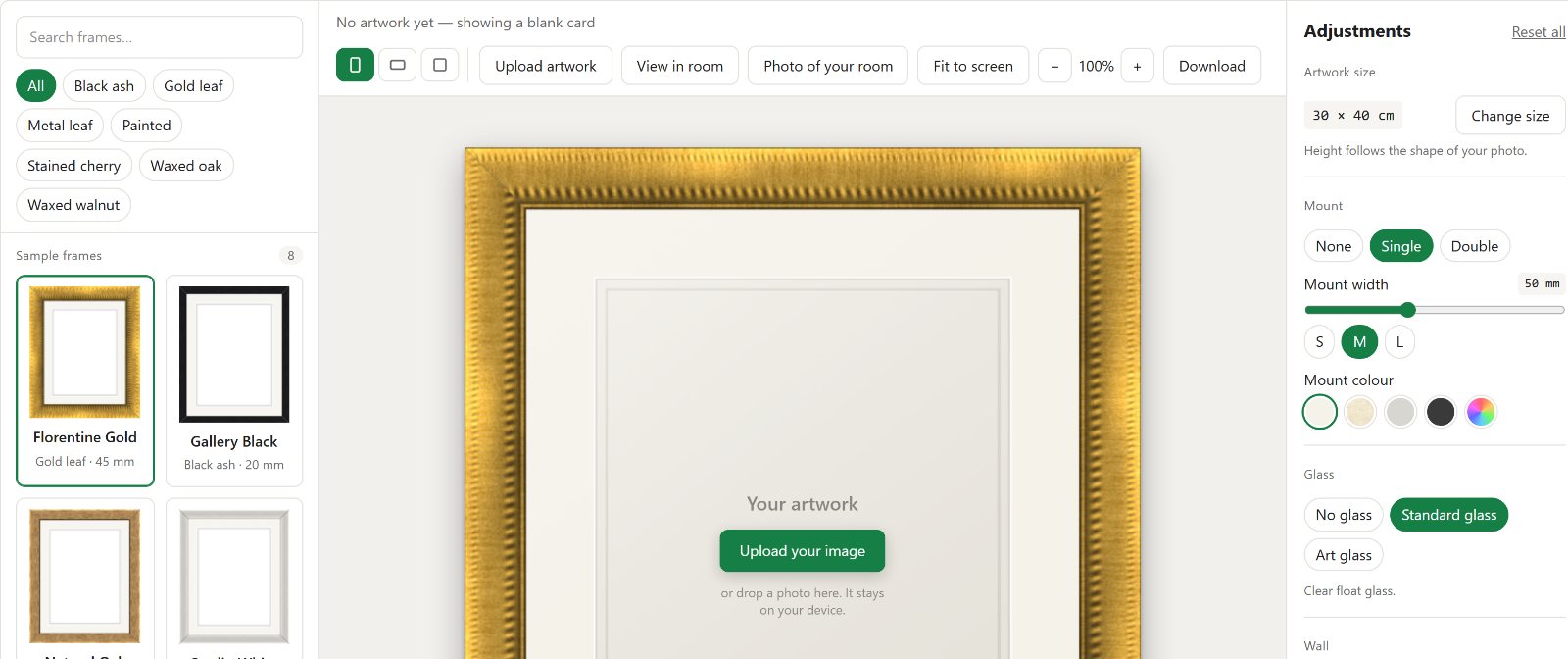
Simply Frame Studio running: the list of frames, a gold frame on screen, and the adjustments panel

Works on the site you already have

  • WordPress
Coming soon
  • Shopify
  • Wix
  • Squarespace
  • Any website, with one line
The framer at Phoenix Art & Framing
“We asked them to make a visualiser plug in for our website and they did not disappoint.”
Phoenix Art & Framing, picture framers, Perth · TBX Solutions on Facebook, · used with permission

Three things built for framers.

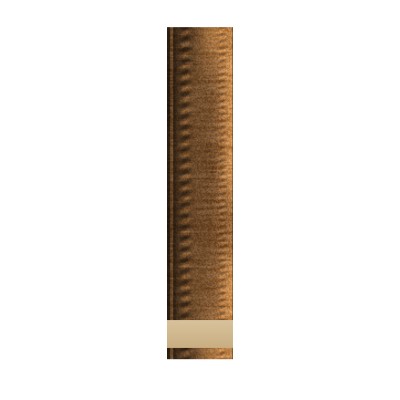
A supplier's photo of a mouldingThe seamless length the visualiser makes from it

Uses the photos you already have

Drop in your supplier's product shot. We find the moulding, turn it, trim the sawn end and join it so the frame shows no seam, even a plain white length on a white background.
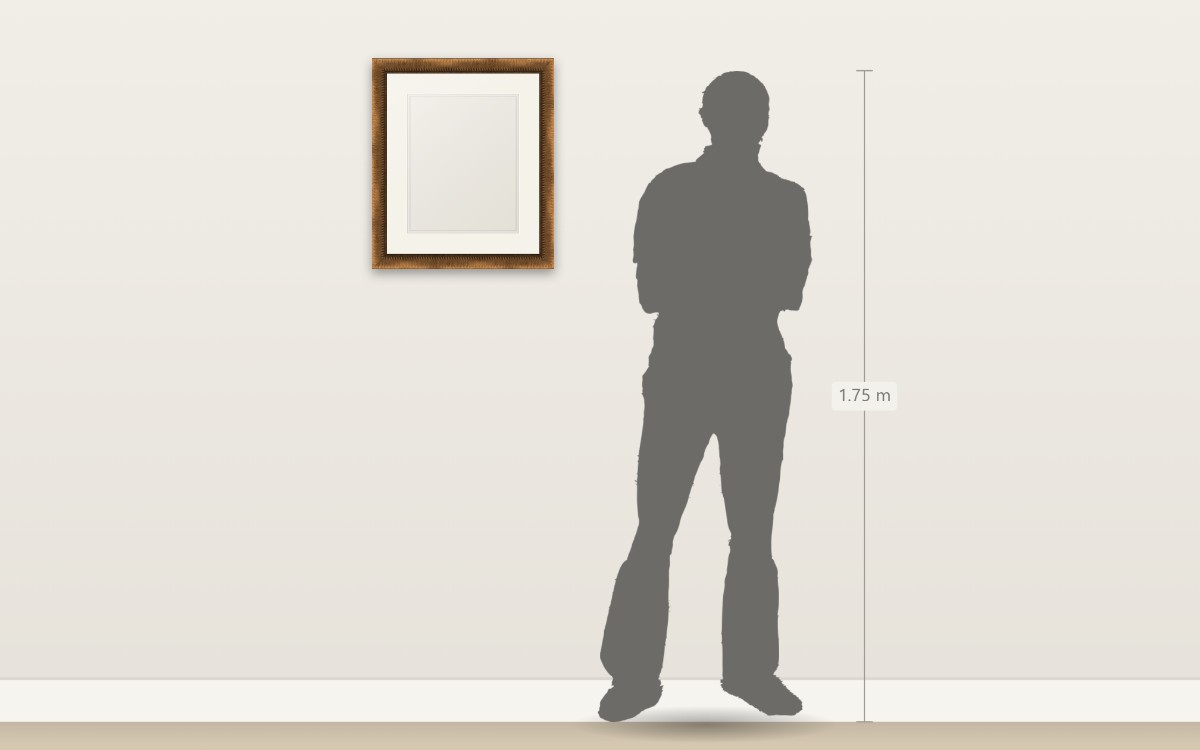
A framed piece drawn at true size on a wall beside a 1.75 m person

True size, on a wall or in their room

The piece is drawn to scale beside a person, or on a photo of the customer's own room, so a 55 mm moulding looks like 55 mm.

Quote requests in your inbox

Every request arrives with the frame, mount, glass and finished size, and a picture of what they chose. You quote; nothing is priced on screen.

You run it, not us.

Mouldings, mounts and rooms live in your own WordPress, so your range is yours to change whenever you like, without ringing anybody.

  • A moulding takes its width, finish and supplier code, and the supplier's photo of a straight length, used as it is.
  • Eight sample mouldings are switched on to begin with, so the visualiser works before your range is in. Turn them off in Settings once it is.
  • Mounts, rooms and quote requests have their own screens in the same menu.
A drawing of the Add New Moulding screen.

How it works

For your customer

On your own website, in about two minutes, without ringing you first.

  1. Adds their pictureA photo from their phone, or a painting they want framed.
  2. Tries your framesYour mouldings, your mounts, your glass, at the size they want.
  3. Sends you the jobThe frame, mount, glass and finished size, with a picture of it.

For you, once

No developer needed. We do the set-up with you on a call.

  1. Ask for a quoteTell us about your shop and your website. We reply within one working day.
  2. Install the pluginWe add it to your WordPress site with you on a call. Set your colour once to match your site.
  3. Load your rangeDrop in your supplier's product photos or your own, and add your mounts.

Priced for your shop.

Every shop is different, so we quote each one.

WordPress plugin

Self-hosted on your own WordPress site, so your frames, prices and customers' requests stay with you.

Quoted for your shop

  • Set-up on a call with us, included
  • Your whole range loaded with you
  • TBX Solutions on the phone afterwards
Get a quote

Not ready to ask? Try the live demo with one of your own pictures first. Nothing to sign up for.

Everything it does

The whole list, for anyone who wants it before a call.

Your range, in your WordPress

  • Mouldings with width, finish, price per metre, supplier code and availability
  • Mounts and rooms of your own
  • Eight sample mouldings to begin with
  • Centimetres or inches
  • Choose the figure used to show scale

What your customer can do

  • Search and filter your frames
  • Add their own picture
  • Single or double mount, with width and colour
  • Glass options, and the artwork size they want
  • See it on a wall, or in a photo of their own room
  • Zoom, fit to screen, download the preview

What you receive

  • The frame, mount, glass and finished size
  • A reference number for the request
  • A picture of what they chose
  • In your inbox, and listed in your website

How it behaves

  • Runs on the site you already have, in your colour
  • No accounts for your customers
  • Their picture never leaves their device
  • Nothing is priced on screen unless you want it to be

Questions framers ask

Do I need a developer?
No. We install it with you on a call, and you set the colour once so it matches your site.
What if my moulding photos are poor?
Send what you have. We check them with you when we load your range, and a re-shoot is rarely needed.
Who sees my customers' pictures?
Nobody. The picture stays in the customer's browser. Only the frame they chose comes to you.
Do prices show on screen?
Not unless you want them to. Requests come to you to quote, the way most framers price.
How long does set-up take?
An afternoon for most shops, including loading a first set of mouldings.
What if I change my website later?
It moves with you. Tell TBX and we fit it again on the new site.

Who does what

One company builds it, the other looks after you. Both own the product jointly.

Simplyxity Ltd

Technical partner

  • Builds and runs Simply Frame Studio: the visualiser, the WordPress plugin and the hosted service to come.
  • The method that turns a product photo of a moulding into a seamless frame, and the true-size wall and room views.
  • Keeps it working: updates, security and fixes.

TBX Solutions

TradeBridgeX UK Ltd

Client partner

  • Your first point of contact, from the first call through set-up and after.
  • Knows the trade, and brings what shops need back into the product.
  • Looks after quotes, orders and your account.

About both companies

Your customers' photos never leave their device.

Only the frame they chose is sent with a quote request. Their artwork stays with them.